
Online reviews are now being used by more people as a way to find information about a trusted provider. We encourage you to help your clients to share their positive experiences with Prestige Inhome Care online.
If your clients love the quality service you provide them, let them know that they can post a google review and help others
If they leave a review, you’ll get a thank you
If you help your client share their positive feedback on google reviews, please let your RCL know, and you will receive a thank you gift.
To leave a review for your client’s local Prestige, click on their region below.
NSW
QLD
VIC
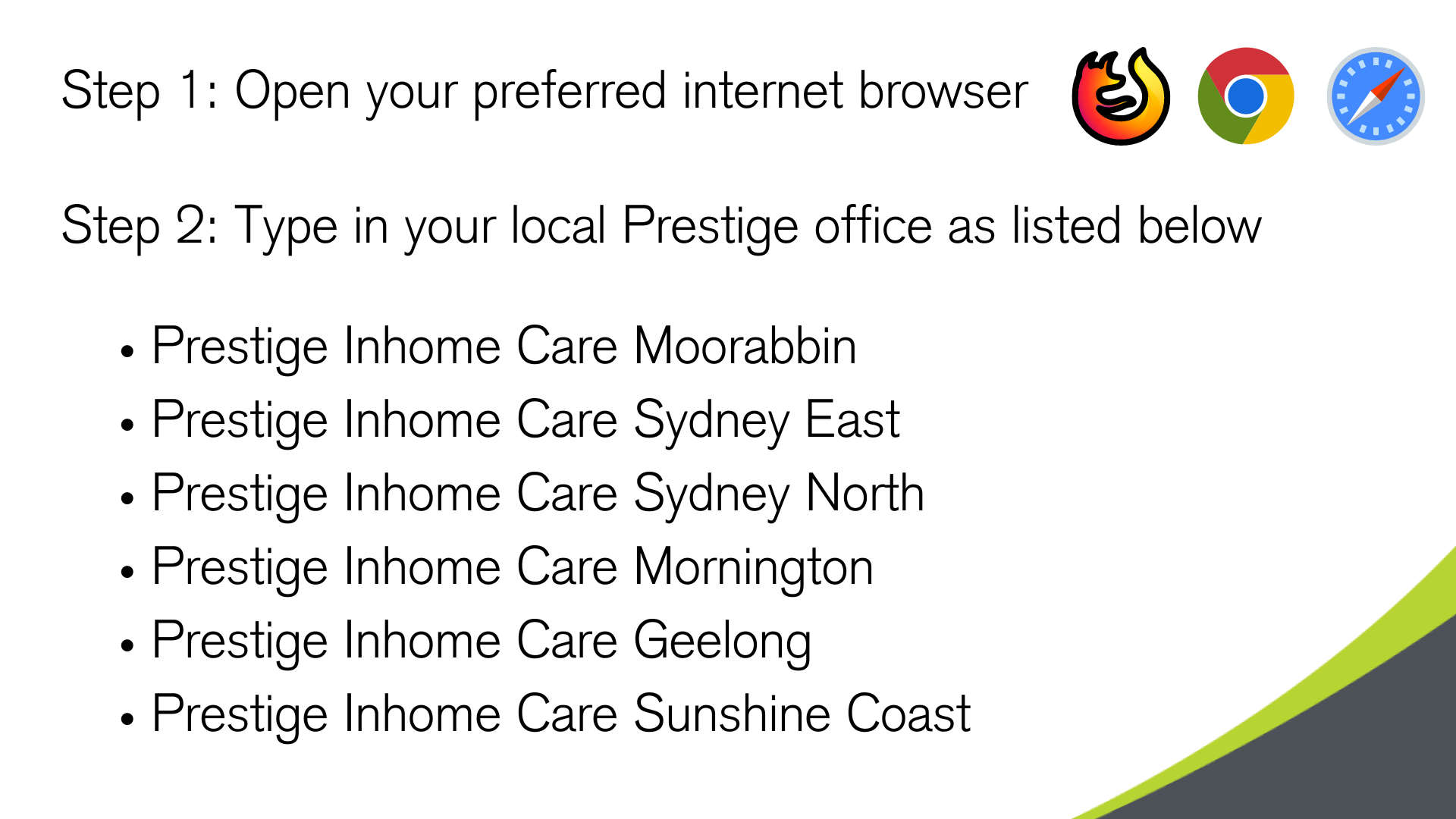
How to Leave a Review
Google Review FAQS
I don't know how to leave a google review
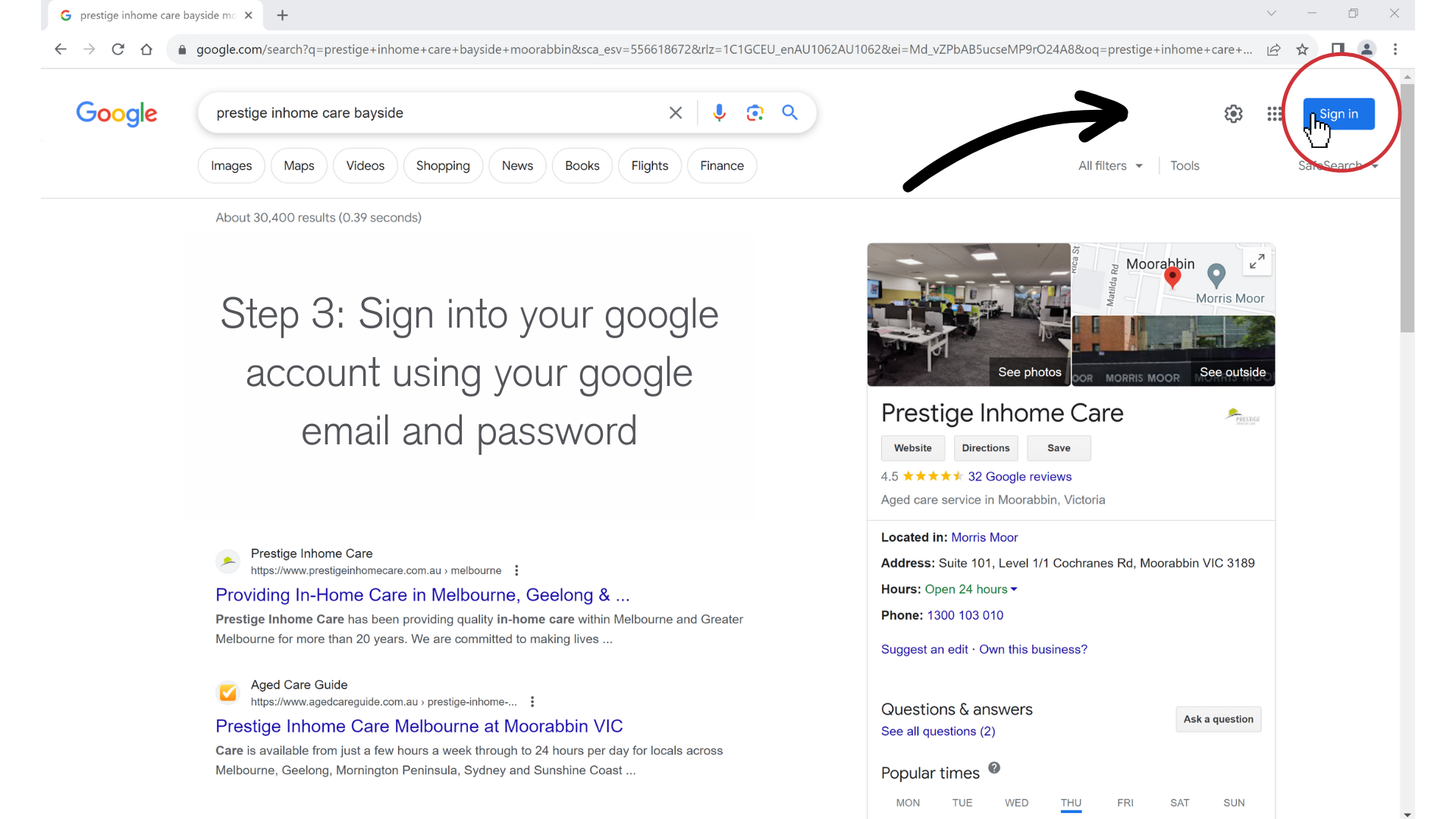
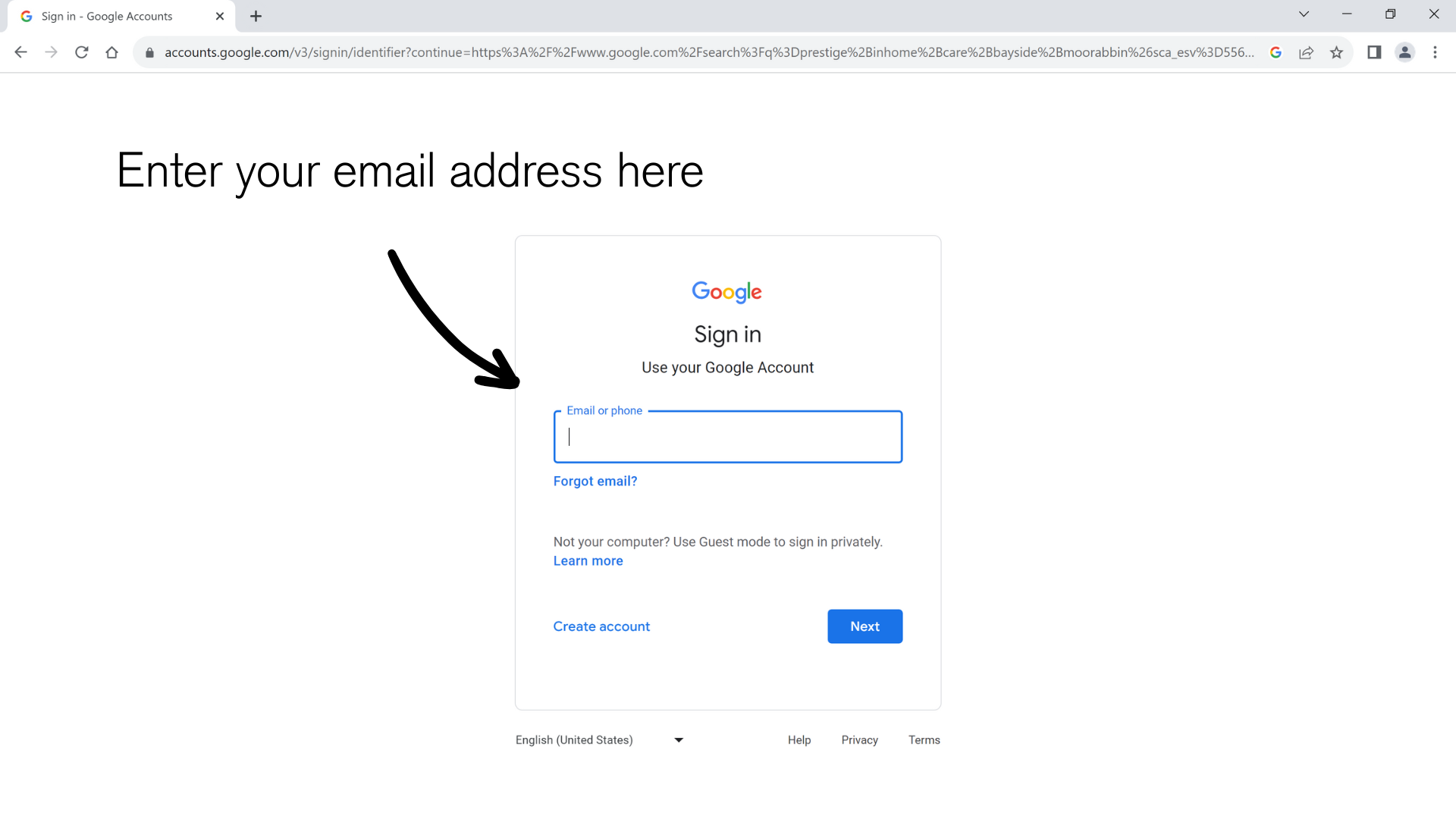
1. Sign into your Google/Gmail account
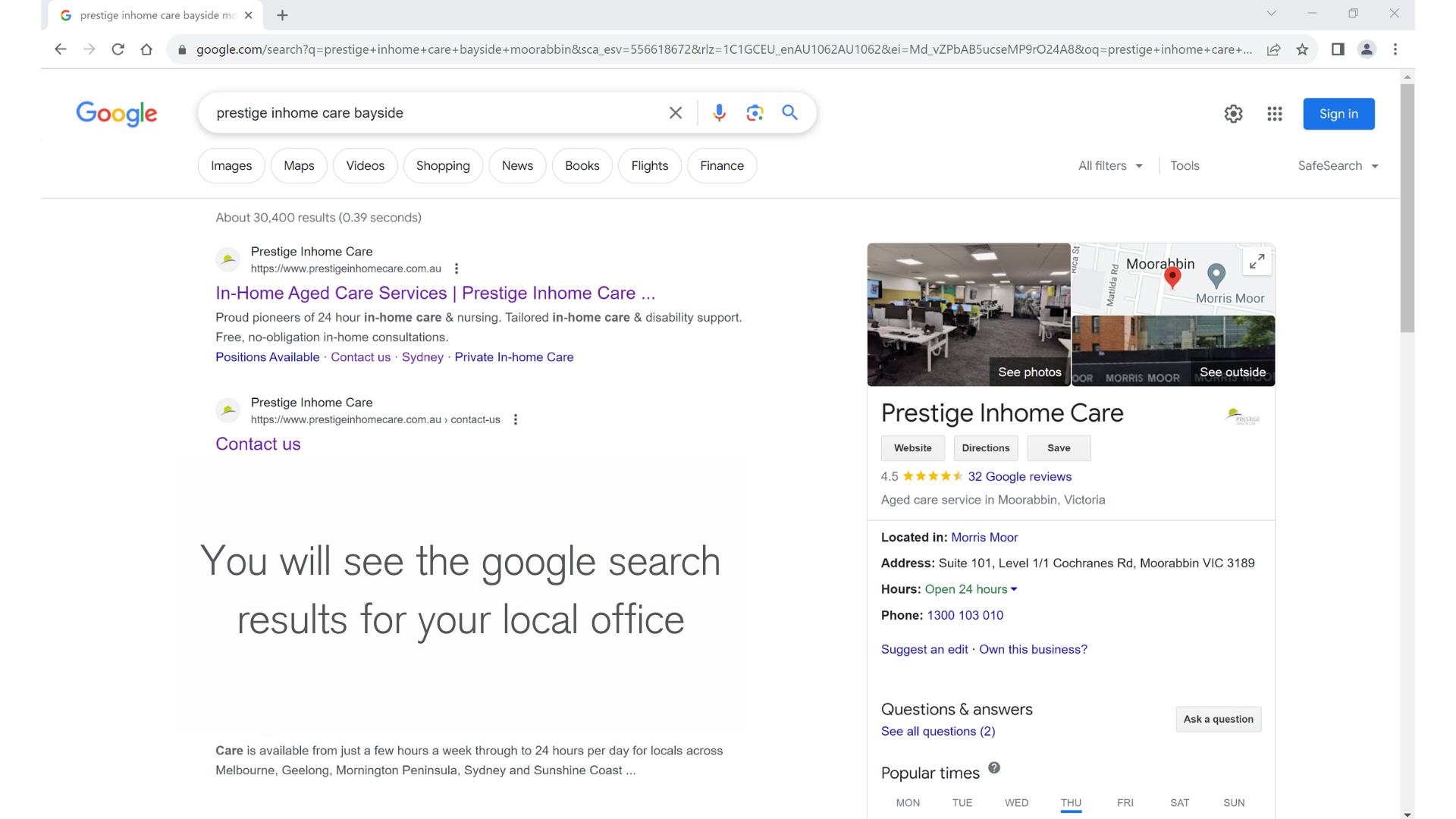
2. Search Prestige Inhome Care and include your client’s local office location.
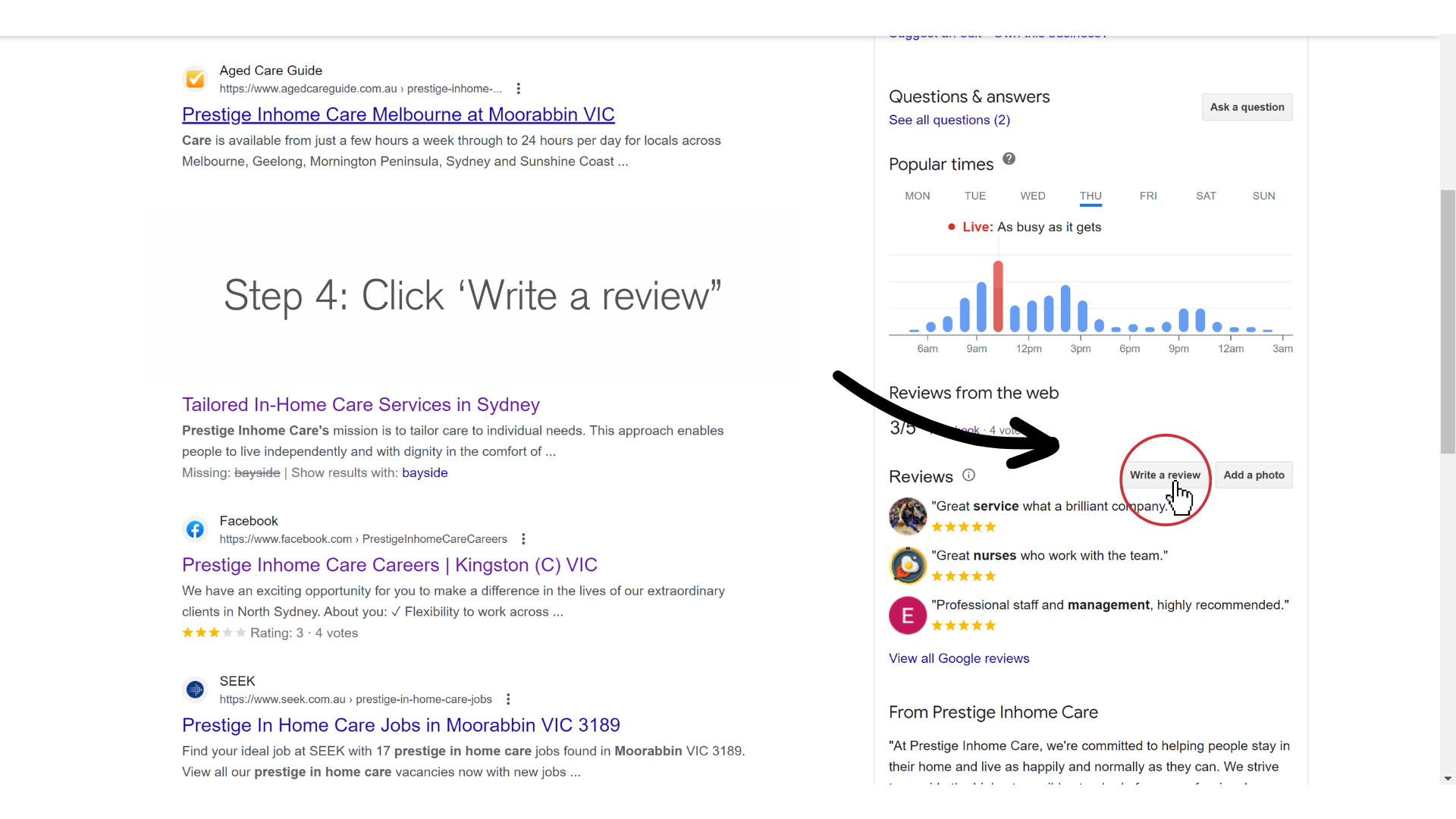
3. Scroll down and click “Write a review” in the right panel
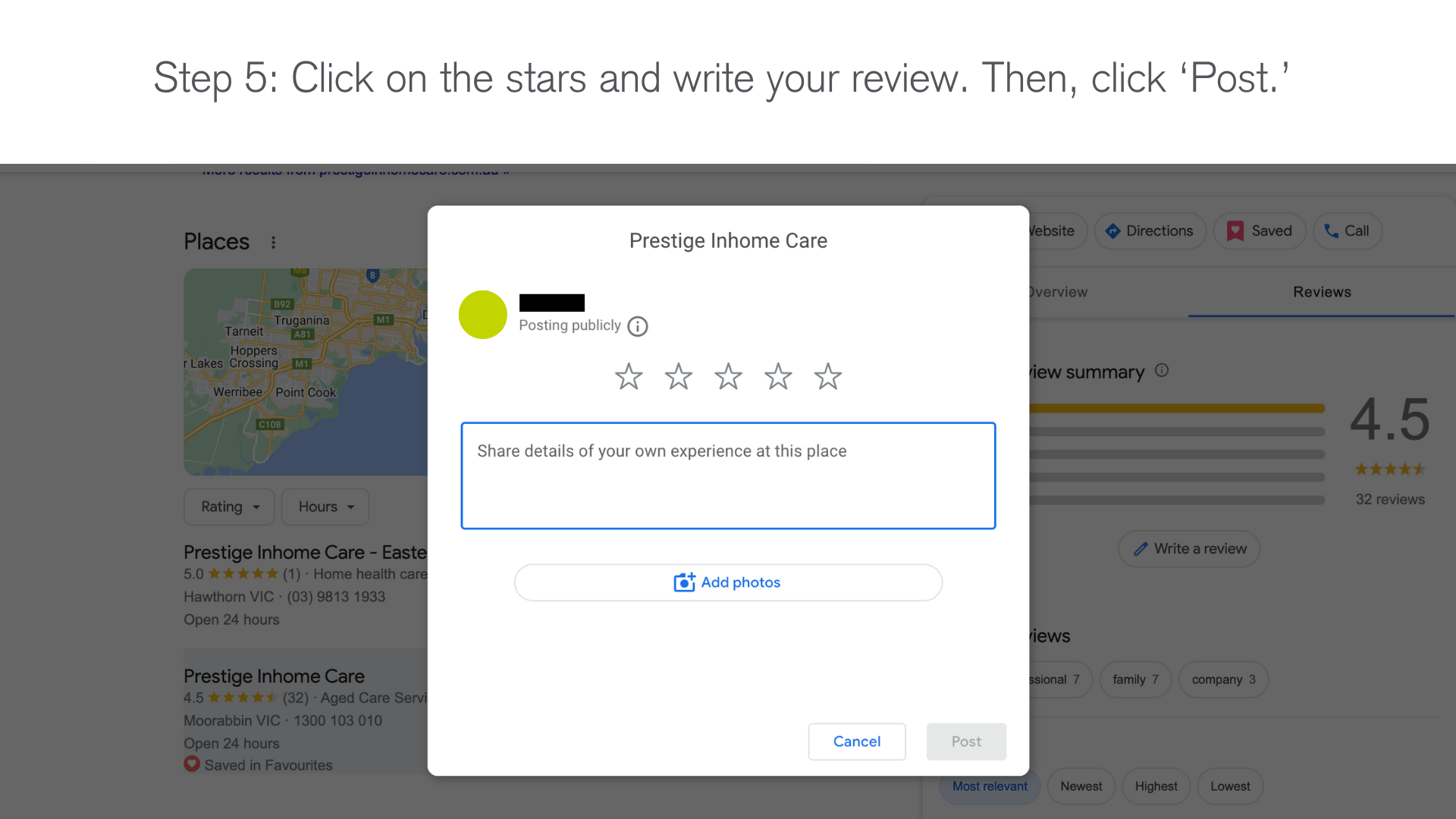
4. In the window that appears, click the stars to rate Prestige Inhome Care. Please assist your client in writing their review mentioning what has been good about Prestige. A couple of sentences is great.
For more detailed instructions, you can follow the instructions in this article: How to Write a Review on Google: Desktop & Mobile (wikihow.com)
My client doesn't have a google account
To create an account, follow these instructions:
If your client does not have a gmail address:
- Go to the Google Account sign in page.
- Click Create account.
- Enter your name
- Enter your birthday
- Choose a gmail account or create your own email address
- In the “Username” field, enter a username.
- Enter and confirm your password.
- Tip: When you enter your password on mobile, the first letter isn’t case sensitive.
- 8. Click Next.
- Optional: Add and verify a phone number for your account.
- Click Next.
If your client has a gmail address:
- Go to the Google Account Sign In page.
- Click Create account.
- Enter your name.
- Click Use my current email address instead.
- Enter your current email address.
- Click Next.
- Verify your email address with the code sent to your existing email.
- Click Verify.
I'm having technical issues
For support with writing or editing your review, follow the instructions in this article: Google support – how to add and edit google reviews and ratings.
My client doesn't want to leave a review/has an open complaint?
If your client doesn’t want to leave a review or has an open complaint, please respect their wishes and refrain from encouraging them to give a review.
If they would like to give feedback privately, please assist them in filling out our feedback form: Submit Feedback – Prestige In Home Care
My client wants to send feedback without leaving a review
If your client would like to submit feedback privately, they can fill out this feedback form: Submit Feedback – Prestige In Home Care
My client would like to leave a review but is concerned about their privacy
When creating your google account, you can change how your name appears or be creative and use a nickname.
Where should my client leave their review?
You client should leave their review on the google listing for the area they live in. For example, a client living in Bentleigh would write their review on the Melbourne listing, and a client living in Bondi would write their review on the East Sydney listing.
What should I do once my client has left a review?
Thank you for taking the time to assist your client in leaving a google review. If you helped your client to share their positive feedback in google review, please let your RCL know, and your help will be noted, and a gesture of our appreciation forwarded. Please also tell your RCL the client’s name.
I need additional assistance
If you would like additional assistance, please email marketing@prestigeinhomecare.com.au.